
CFS + Space Pi: a filament dryer built into the Creality CFS
Field: 3D printing / Electronics / Hardware modification
Period: 2026
Client: Personal project — Lab 77 workshop
Hardware: Creality K2 Plus, Creality CFS (multi-colour filament system), Creality Space Pi dual-spool dryer
Context
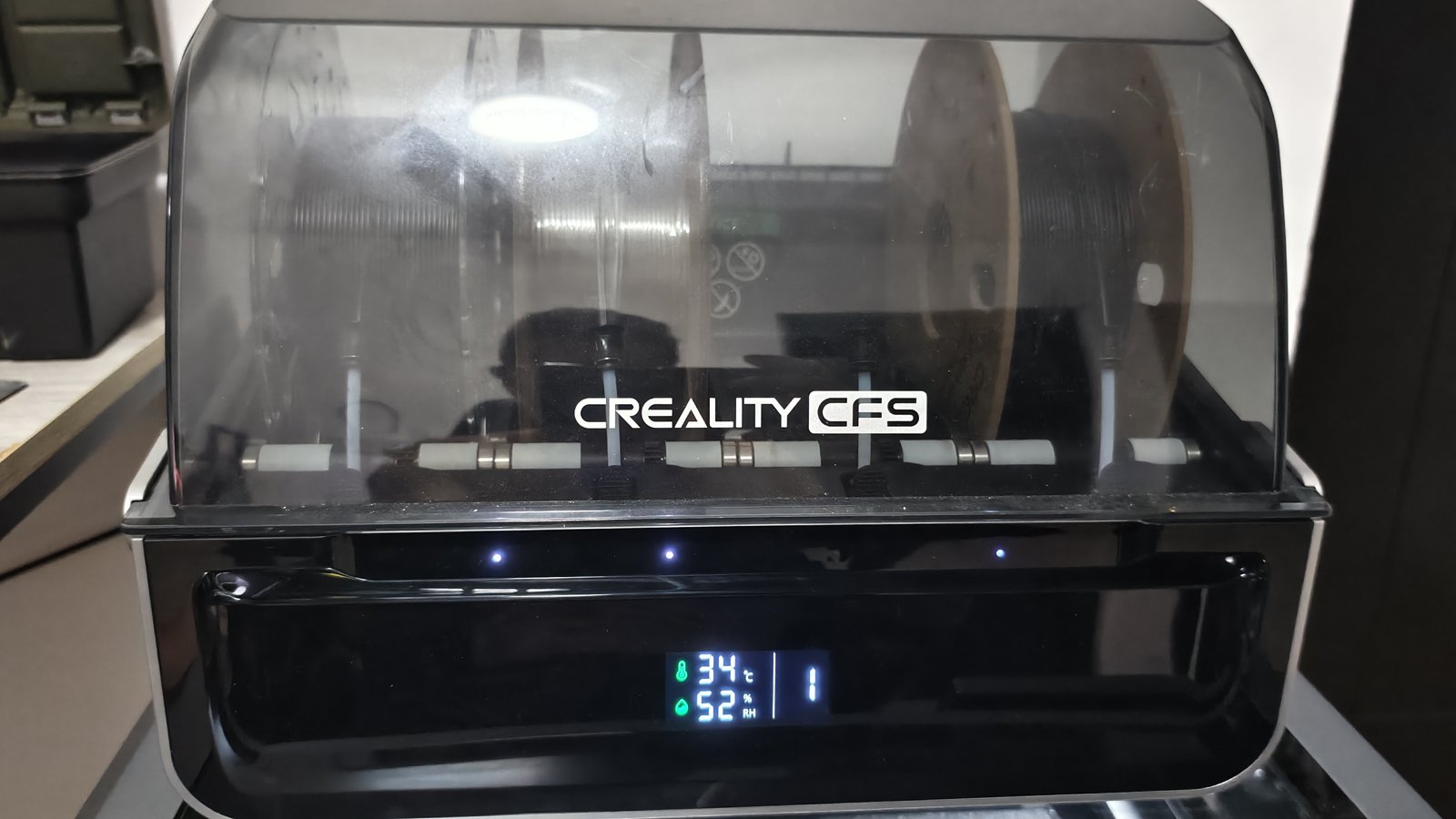
I turned my Creality CFS and my Creality Space Pi dryer into a single 2-in-1 unit. The Space Pi came bundled with the K2 Plus and duplicated my other dryers. The CFS keeps spools dry with desiccant, but it has no heating: it cannot actively dry filament.
The idea: take the Space Pi's electronics (board, heaters, fans, screen) and install them inside the CFS. The result: one machine, less space on the bench, and spools dried right where the printer feeds from them.
Sources and credits
This project is not built from scratch: it relies on two models published on Printables, which I credit and thank.
- Original mod — K2 Plus CFS Mod - Heated Chamber - Space Pi Double, by Ice992: baseplate, intake and exhaust ducts, screen mount, and the full method. To support the designer: ko-fi.com/ice992.
- Remix — K2 Plus CFS Mod - no crimping or splicing required!, by Jimmy Velazquez: thicker duct walls, a shared mount for the CFS and Space Pi screens, and a new front panel that houses the dryer screen. This is the front panel I used.
- CFS disassembly — official Creality guide (replacing the CFS mainboard).
- Space Pi disassembly — there is no Creality guide; a few useful photos in this Reddit thread.
Both models are licensed Creative Commons BY-NC-SA (attribution, non-commercial, share-alike). The tutorial below summarises Ice992's method and the remix additions, together with my own experience.
Before you start
- The modification is hard to reverse: you have to cut 5 openings in the CFS case (4 for the air intakes and exhausts, 1 for the power switch).
- Warranty: the Space Pi warranty is void, and possibly the CFS one should it fail later. You modify your hardware at your own risk.
- Test the Space Pi before taking it apart: some units leave the factory with faulty sensors. It must show no error.
- The CFS and the dryer stay independent: the CFS works as before, and the dryer keeps its own power supply, using the Space Pi's original mains cord.
What you need
- A 10-pin, 2.54 mm pitch, double-row male-to-female ribbon cable extension, 25 to 30 cm long, to relocate the dryer screen
- 14 AWG wire (about 10 cm) to extend the heater power leads, plus solder and heat-shrink tubing
- A 2.5 mm drill bit
- Optional: solder-seal heat-shrink connectors, wire ferrules and a crimping tool, a rotary tool (Dremel or similar) for the cuts, small cable ties
Step-by-step tutorial
1. Print the parts
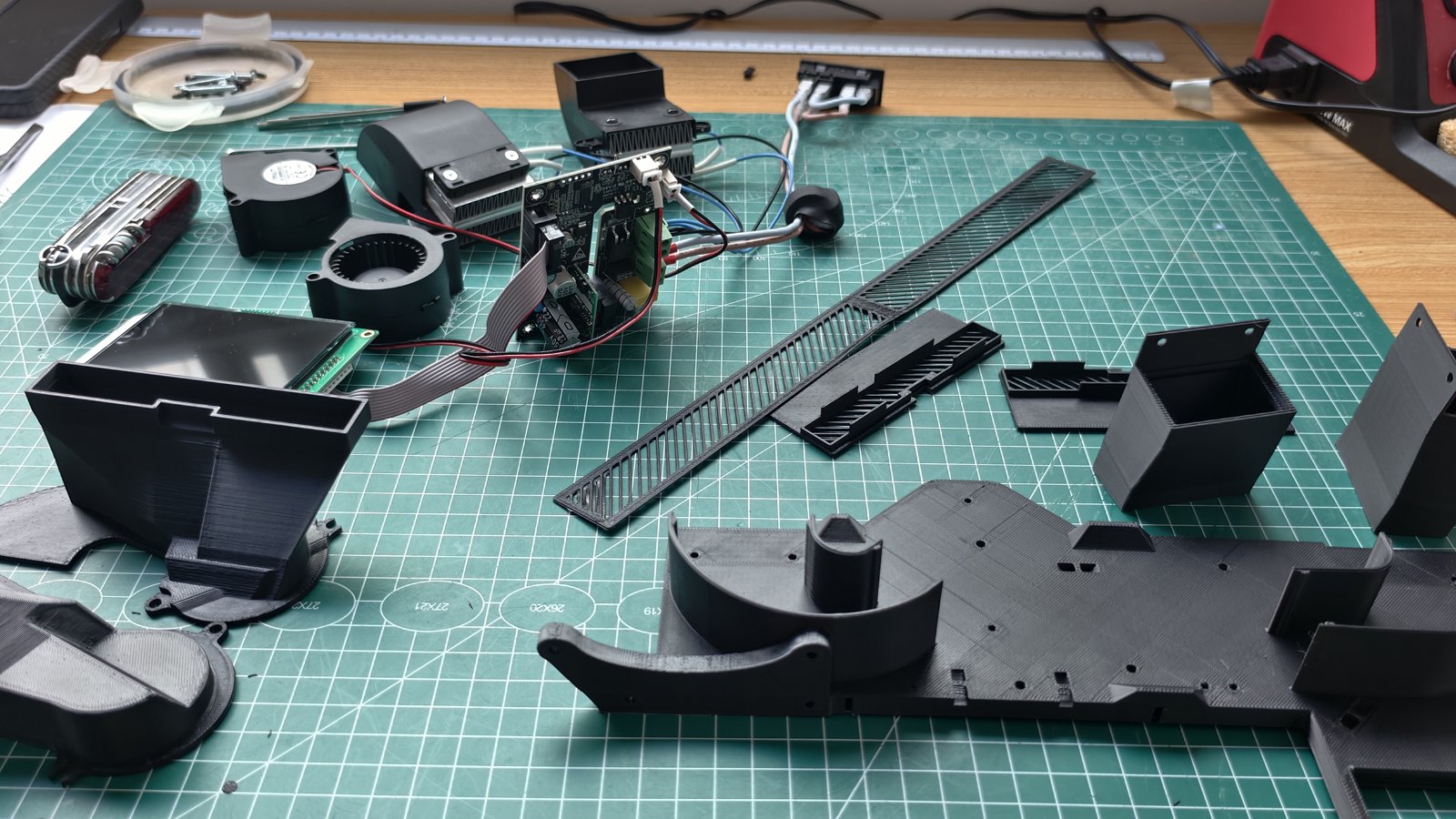
Parts to print: baseplate, intake ducts, exhaust ducts, duct covers and screen mount. The screen-mount drilling template is optional. With the remix, add the new front panel and the shared mount for both screens.
- Material: ASA or ABS. The parts are exposed to hot air and hot components, and PLA would deform. Only the screen mount, away from the hot airflow, can be printed in PLA.
- 4 walls, rectilinear or gyroid infill at 15–20% (mainly relevant for the baseplate), 0.8 mm top and bottom, 0.2 mm layers
- Manual supports, on the build plate only: one intake duct needs them inside the fan opening. A 5 mm brim, inside and outside, on the exhaust ducts.
2. Take the Space Pi apart
- Turn the unit over, remove the rubber feet, then the 6 screws hidden underneath.
- Peel off the black plastic screen cover (0.5 mm, lightly glued) by lifting one edge; it can be reused.
- Remove the bottom cover, then all the screws inside. Photograph the board wiring before unplugging anything.
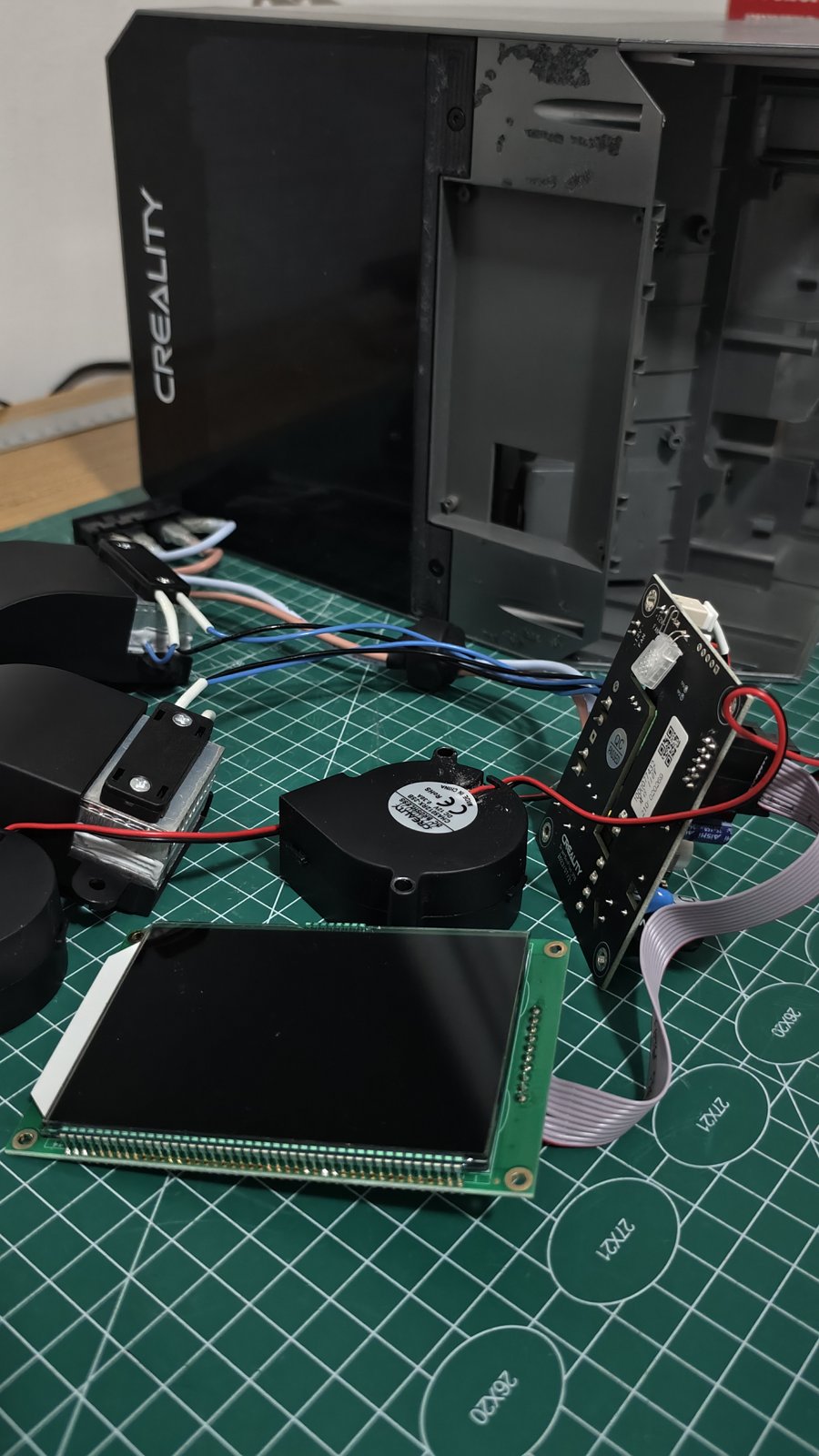
- You keep: the mainboard, the power switch with its socket, 2 fans, 2 heater blocks and the screen. The Space Pi shell is no longer needed; keep its screws, they will hold the board, screen, fans and heaters.
3. Take the CFS apart
Follow the Creality guide. Keep the CFS screws separate from the Space Pi screws, and remove all cable ties.
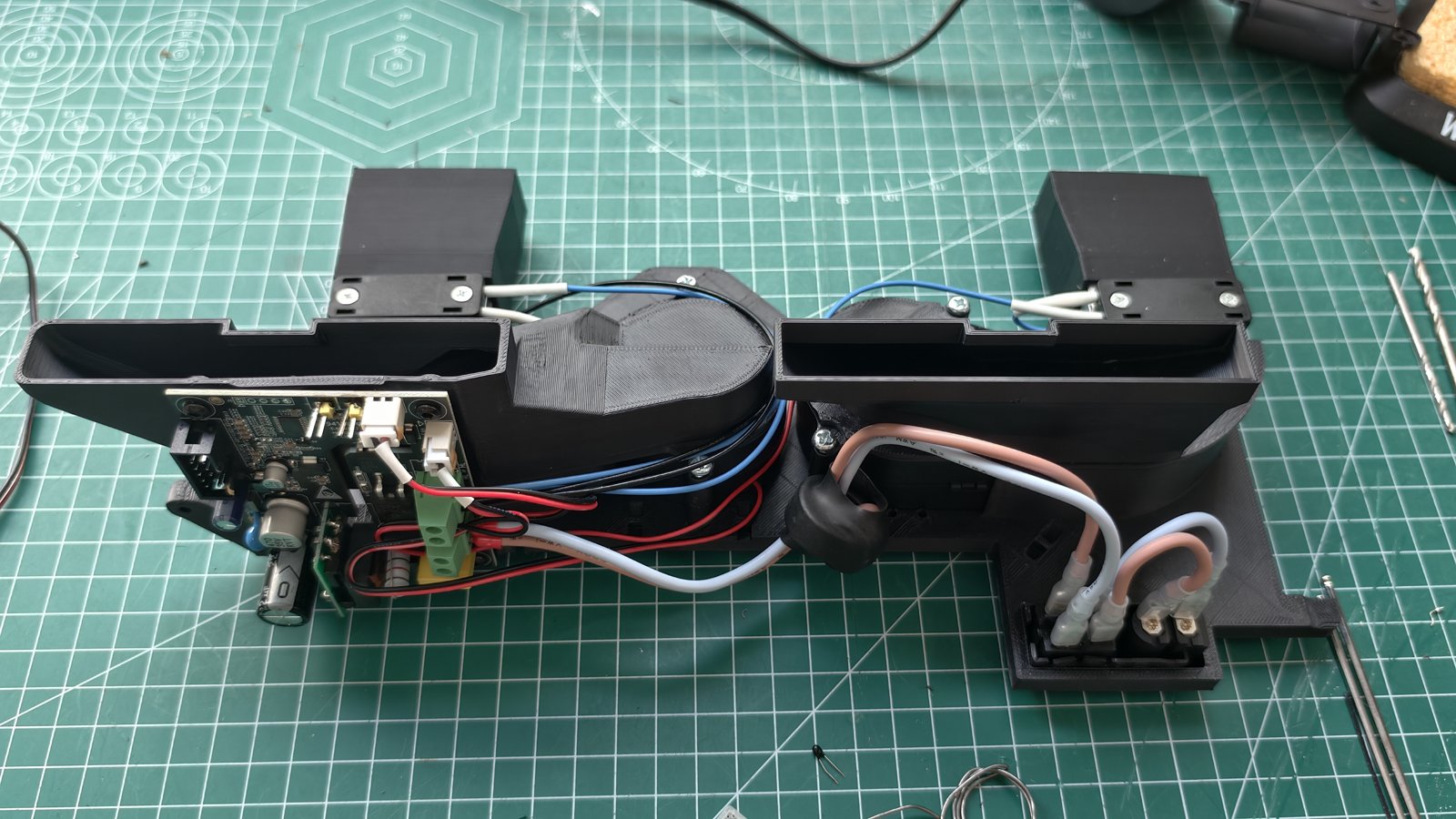
4. Assemble the baseplate
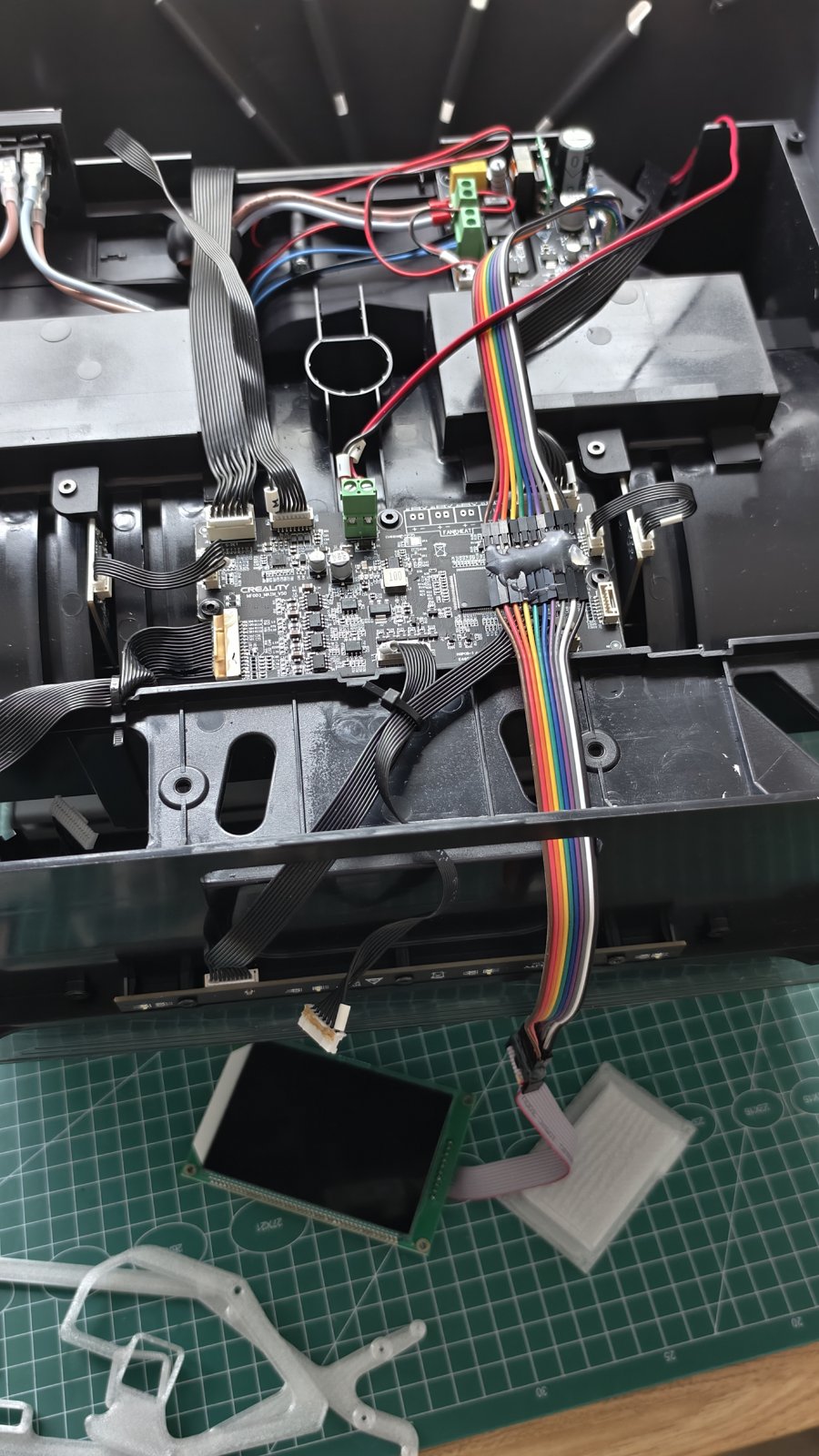
- Fit one exhaust duct and one heater block, then screw them down. Do the same on the other side. The heater wires must point towards the centre of the plate.
- Fit the fans. Screw all the way in, then back the screws out slightly: the intake ducts mount on those same screws.
- A few drops of glue where the intake ducts meet the baseplate walls seal the duct.
- Mount the dryer board on its 4 mounting holes.
- Extend the heater wires, joining them into a single extension. The plate has notches for cable ties.
5. Relocate the sensors
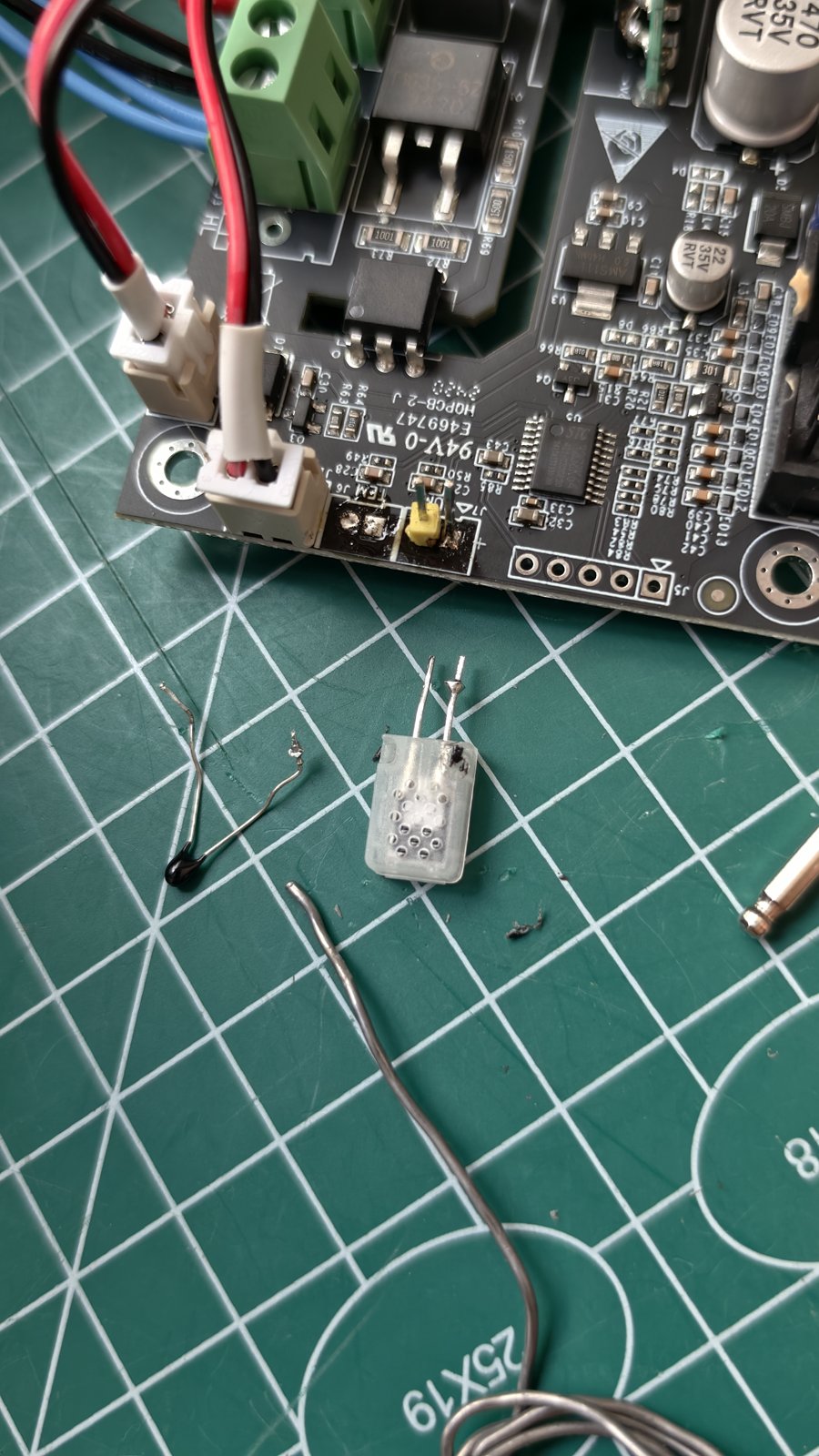
In the original mod, the two sensors soldered under the board (temperature and humidity) are simply straightened so they sit in the airflow. As in the remix, I desoldered and extended them so they measure the chamber air rather than the air leaving the heaters. The displayed temperature is much more accurate. Humidity is still underestimated by about 10%. Plan a small cover to protect them.
6. Cut the case and install the assembly
- Test-fit the assembled plate in the CFS and scribe the outline of the exhaust ducts on the plastic. The air intakes are cut into the upper half of the back wall of the desiccant trays, on each side.
- Cut the 4 air openings and the one for the power switch, at the back.
- Slide the assembly into the CFS and screw it in place: the holes on the back of the case line up. Two screws are enough.
- Connect the screen ribbon cable extension.
7. The front panel and the screens
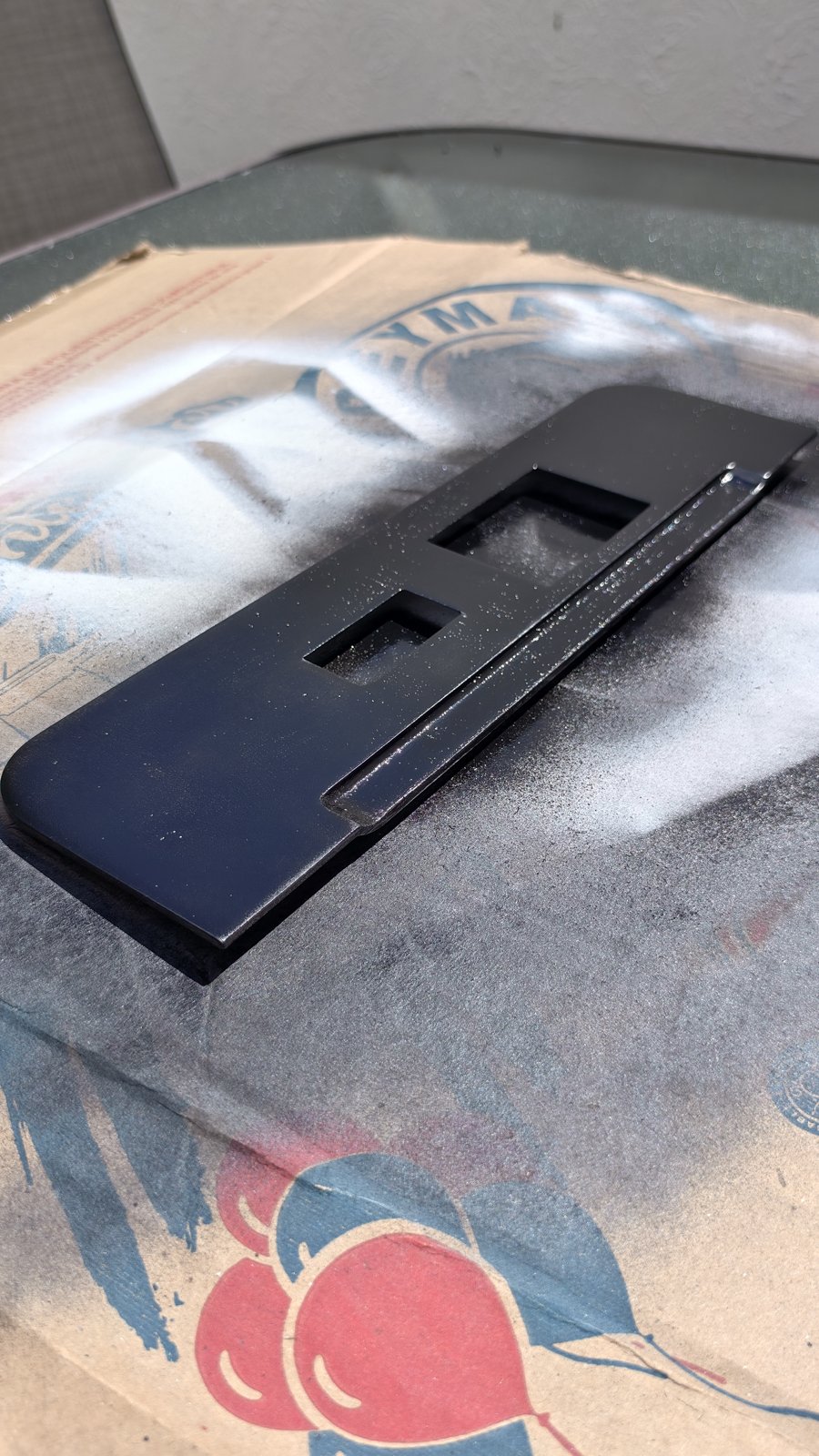
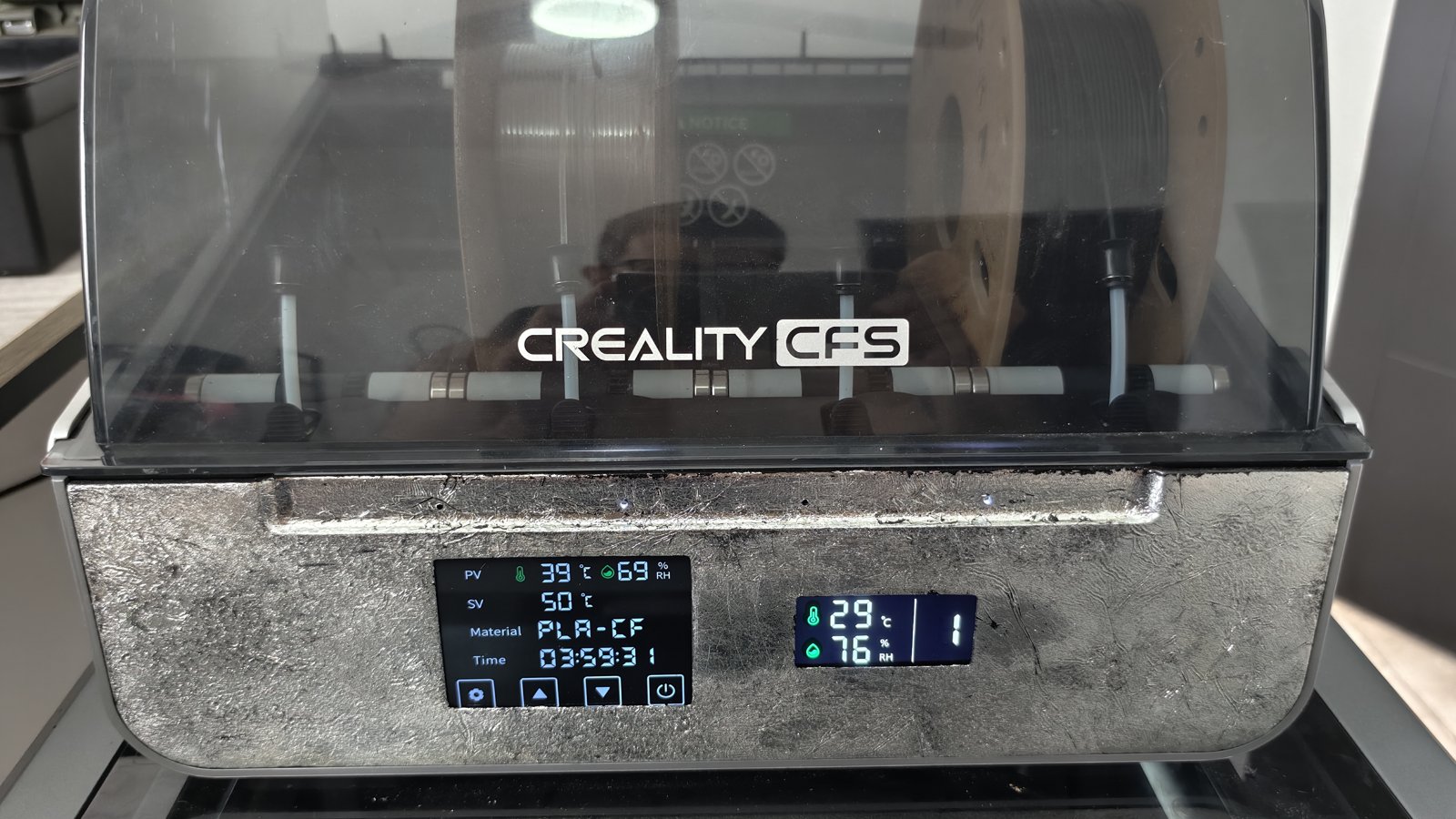
I used the remix front panel, which houses the dryer screen next to the CFS screen. To drill: assemble the two screen mounts (a single screw at the bottom centre is enough to start). Together they form a template that fits the original CFS screen cut-out. Mark and drill the 5 holes for the M2.5 × 5 mm screws, which go in from the inside.
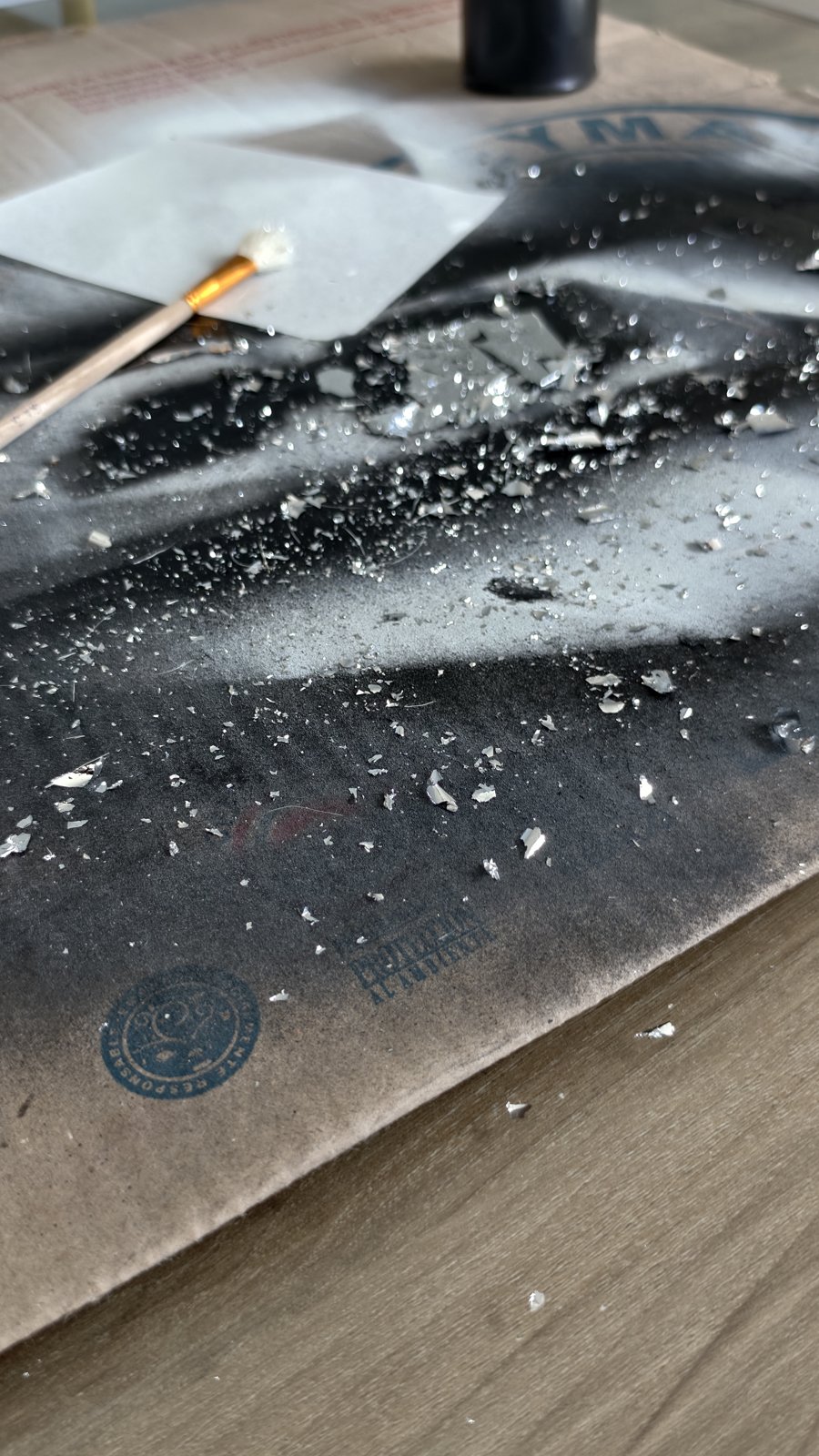
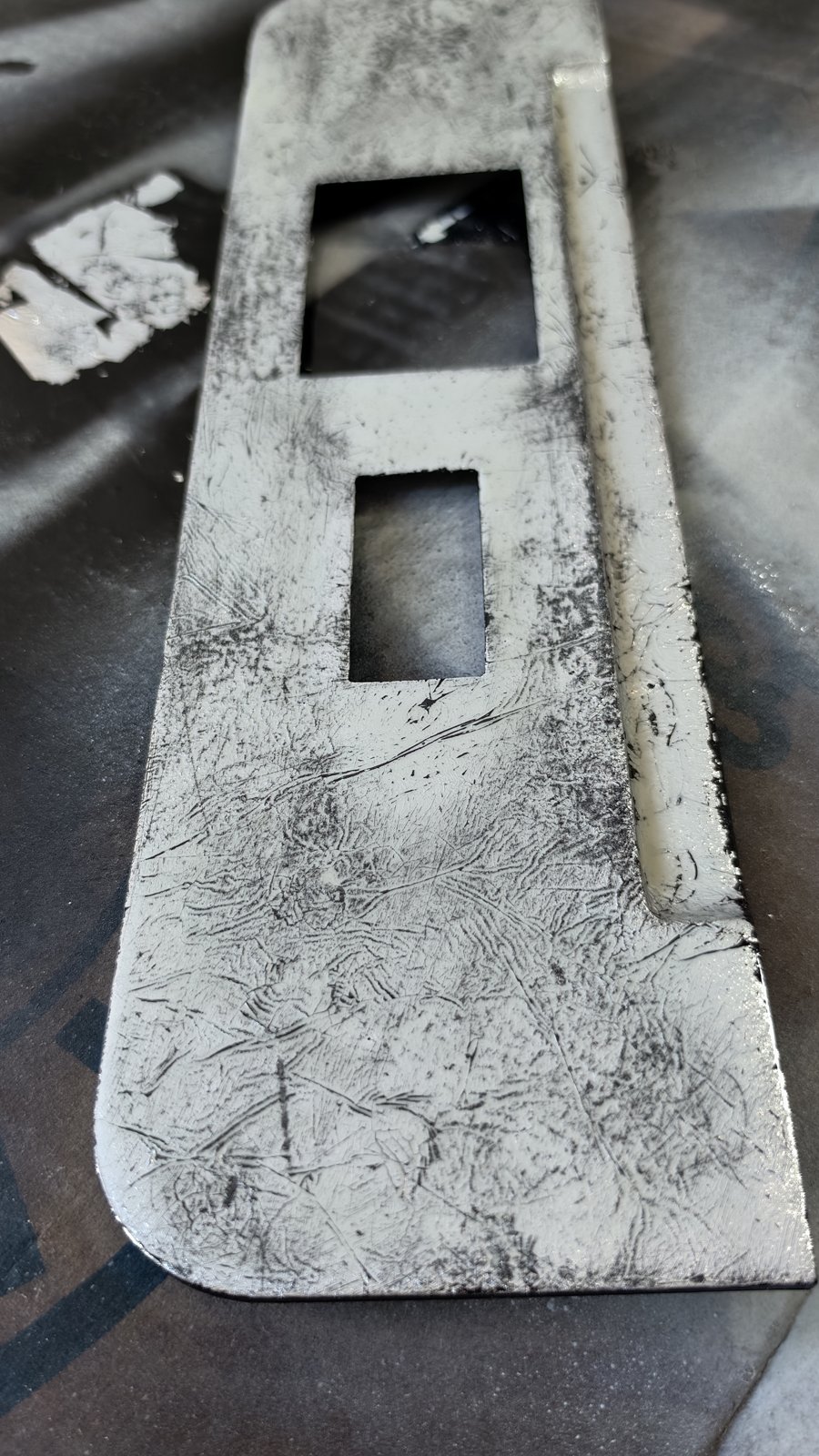
For the finish, I gave the front panel a black primer, then a silver-effect metal leaf laid with a brush, for an aged-metal look.
8. Reassemble and finish
Reassemble the CFS, then glue the duct covers in place: they keep desiccant beads out of the ducts and hide the cuts.
Settings and temperatures
The temperatures shown by the dryer and by the CFS do not reflect the chamber temperature: Ice992 measured up to 11 °C of difference. His readings, after 60 minutes of stabilisation:
- 45 °C setpoint → chamber 51 °C (max 53 °C): ideal for PLA
- 50 °C setpoint → chamber 58 °C (max 60 °C): some PLA goes soft
- 54 °C setpoint → chamber 64 °C (max 66 °C): for ASA and ABS
E4 error: the Space Pi checks that the chamber heats up fast enough (a 10-minute check). In the larger CFS volume, going straight from cold to 50 °C can trigger the error. Raise the temperature in 3–5 °C steps; if E4 appears, switch the dryer off and on again.
Result
The CFS becomes an active dryer: spools dry inside the CFS, during or between prints. The two devices stay independent, each with its own screen on the new front panel. There is only one machine left on the bench.
Questions about the build? Get in touch through the contact page.
Tags: 3D printing, Creality CFS, Space Pi, K2 Plus, filament dryer, Printables, mod